

Fivem
Instant activation
Fivem
Instant activation
DisManagerV2
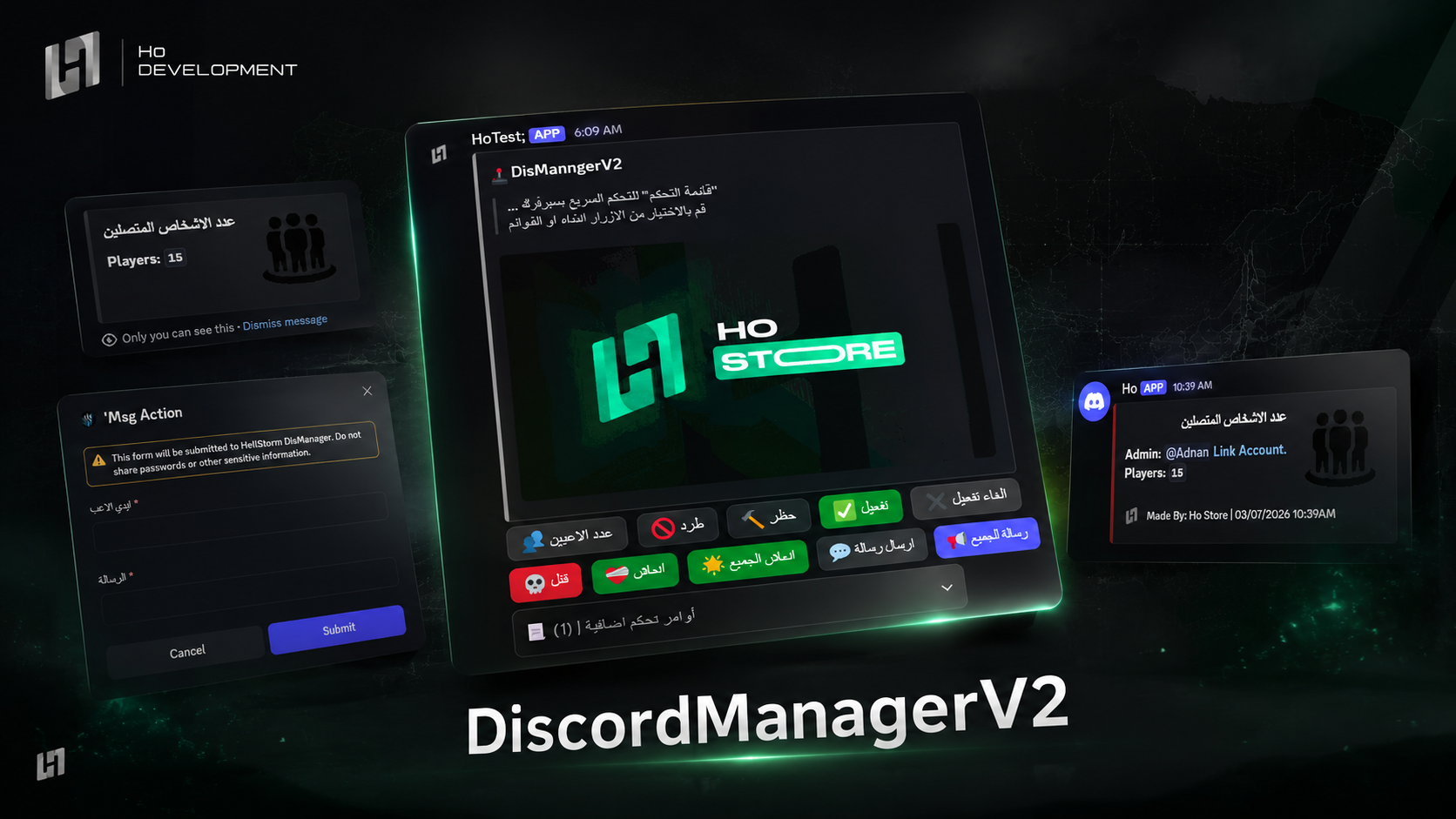
Run your server from Discord - 35+ ready commands and 80+ from the config, 20 featured commands as buttons, and a sync system for Discord roles.
119.00 ر.س
119.00 ر.س
× 1
Complete your order
Bundle discount applied automatically
Buy it together
Discover what customers buy with this product
Buy together for
492.10 ر.س
instead of 518.00 ر.س
Save
25.90 ر.س
-
Makes controlling your players from Discord easy
-
You can give a permission to a specific role or a specific person with no limit on every command
-
A dedicated log for every command, naming the staff member's Discord account
-
🆕What is new in the second version? -
The script was rebuilt as a control panel instead of a set of commands
-
You can pick up to
20featured commands, which show as buttons in the panelThe rest of the commands live inside the menu
-
You can add up to
80+commands from the config -
🔗The sync system (currentlyvRPonly) -
Lets you tie Discord roles into the game
-
And lets you tie menu and cinema permissions to Discord roles
-
Unlimited roles can be linked
-
🛠️Available commands35+ -
👥Player count -
🚫Kick -
🔨Ban / unban -
✅Whitelist / unwhitelist -
💀Kill -
❤️🩹Revive / revive everyone -
🍔Food and drink -
💬Message players -
🛡️Message staff -
💸Check / give / take money -
📝Player info -
📋Give / take / check a player's ranks -
🎁Give an item -
🧹Search / wipe an item bag -
👕Change a player's skin -
🚗Spawn a vehicle -
🔁Restart -
🔄Change a player's ID -
🗑️Delete a player's ID -
🆔Check an ID / IDs -
🎬Play a video in the cinema -
⏹️Stop a video in the cinema -
📸Screenshot a player's screen
⭐ .. And you can add commands easily from the config
The script is standalone, meaning it runs on every framework: vRP , CFW , ESX ...
Commands that currently work on vRP only
Ban / unban,whitelist / unwhitelist,message staff,change a player's ID,delete a player's ID,check an ID / IDs
Every feature can be switched on or off, and everything has its own permission
Everything is logged
Before you start
- The moment your payment completes the script is added to your account. Open your dashboard and download the latest build from «My scripts»
- There is no key to paste - the licence binds itself to the first server that runs the script, and you can re-point the IP later from «My scripts»
Installation steps
- Unzip the file and leave the script's name exactly as it is
- Drop the folder into
resourceson your server - Add
ensurewith the folder name to yourserver.cfg - Open the config file(s) and adjust the settings and permissions to suit your server
- Restart the server, and check the
consoleto confirm the script started with no errors
After installation
- Make sure your framework is supported before you install
- Updates land on the same page - you can download the latest build any time, no second purchase
- If anything goes wrong, screenshot the
consoleand open a ticket on Discord and we will help you
How do I receive the script after buying it?
Delivery is fully automatic. The moment your payment completes the script is added to your account, and you can download it from «My scripts» in your dashboard — no waiting, no need to contact anyone. The licence binds to the first server that runs the script, and you can change the IP later whenever you want.
What changed between the second version and the first?
The script was rebuilt as a control panel instead of a set of commands: you pick up to 20 featured commands that show as buttons in the panel, the rest live inside the menu, and you can add up to 80+ commands from the config.
Which framework does it run on, and what about the sync system?
The script is standalone and runs on vRP, CFW and ESX. The sync system, however, is currently vRP only, and so are these commands: ban / unban, whitelist / unwhitelist, message staff, change a player's ID, delete a player's ID, check an ID / IDs.
Browse next